Articles by "How to"
Showing posts with label How to. Show all posts
Specialty in Tech News, Game News, Mobile News, Gadgets, Update Android, Video Games, PC Games, Best Apps, Android Games, Samsung, Wearable, PS4,Phone
Sponsored post
SPONSORED JOB POST

Company: American Crystal Sugar Company

Salary: $19.27 an hour
Benefits:
Pulled from the full job description
These positions start at $17.71 up through $19.27 per hour, depending on experience and skills set!!

Full Job Description:
We are looking for motivated individuals to join our team for the next Iris Beet campaign began in mid-August! We offer a safe work environment with advancement opportunities. These positions start at $ 17.71 through $ 19.27 per hour, depending on experience and skill set !!

General Factory workers are entry-level positions and can include a variety of work is not limited to:
  • Performing manual labor (including various cleanup activities).
  • Mobile operating equipment, beet plant and / or sugar processing equipment.
  • Comply with federal, state, company and plant safety requirements.
  • Perform basic troubleshooting of mechanical problems, operations and electricity.
  • Use hand tools and rigging to complete the task.
  • Must be able to sweep, vacuum, squeegee and able to bend, twist, squat, and kneel as required for a variety of cleaning work and able to operate the vacuum system.
  • Being a team player who shows initiative and professional work ethic.
  • Work overtime as required.
  • Perform other duties assigned.
Minimum Requirements:
  • Applicants must be at least 18 years.
  • Must have high school diploma or GED
  • Must be able to pass the entrance test requirements, pre-employment drug test and criminal background check.
  • Previous factory experience a plus.
  • Some positions may require a valid driver's license
  • The ability to live 50 pounds
  • Must be willing to work rotating shifts, including evening / weekend
  • Doing work at various heights.
  • safe working knowledge of the limited space entry procedures and policies needed respirator.
Specialty in Tech News, Game News, Mobile News, Gadgets, Update Android, Video Games, PC Games, Best Apps, Android Games, Samsung, Wearable, PS4,Phone

Galaxy Fold

Recently, Samsung has posted a video on their YouTube Official Channel after the large number of sold of market, in the video they instructed Galaxy Fold users safety tips on how to use their Galaxy Fold Phone to avoid damage. It also show how the Korean giant's customers avoid unfortunate incidents that may damage their devices.

  • First in the video, Samsung advised users not to press too hard on the screen of the Galaxy Fold because this device is not protected by glass, which will make the screen of the device more susceptible to damage.
  • Additionally, the Korean tech giant also recommends that users place the device away from objects made of metal because it is equipped with a lot of magnets, which supports folding.
  • Owing to the folding screen design, the Galaxy Fold will not be as resistant to water / dust as some other high-end devices. Therefore, Samsung advised users to keep the device away from water and dust.
  • At the end of the video, Samsung also introduces the Galaxy Fold's Premier service. This service will allow users to directly meet Samsung experts, answer questions and guide users to use the device in more detail.
The Video Showing The Above Mentioned Steps:


Specialty in Tech News, Game News, Mobile News, Gadgets, Update Android, Video Games, PC Games, Best Apps, Android Games, Samsung, Wearable, PS4,Phone

Transfer data to new iPhone
If you bought a new iPhone 11, 11 Pro or Pro Max, You'll want to try out your new smart phone as soon as the box is opened. But first, you have to get all applications and data from your old iPhone to your new one.

The good news is that it is very easy. if your current phone is IOS 12.4 or later, it is easier than ever. (Follow the below steps)

In the past the process of moving your data basically involve restoring it from iCloud backups, or iTunes. But the good news is that you can now move applications, and identification data to your new phone directly with new Apple feature known as iPhone migration.

Steps On How To Transfer Data And Information From Old iPhone To New iPhone

WIRELESS CONNECTIONS:
  • Start your new phone. You will be asked some preliminary questions (such as what language you want to use) and then you will be invited to transfer data from another phone, if you want.
  • Put your old phone near your new. Make sure both phones are plugged in (you do not want them running out of power in the middle of moving the data).
  • When the connection is made, the new iPhone screen will display the pattern and your old phone will open the camera and display an empty circle in the middle of the screen. You will be asked to hold your new iPhone up to your old camera so that the pattern is centered in the circle.
  • You will then be invited to shift your attention to your new phone to complete the setup.
  • Enter your Apple ID when asked; You may also be asked whether you want to setup the Face ID or Touch ID.
  • There will be several screens to go through before the transfer begins, including the usual terms and conditions, if you want to share your location and your analysis, and whether you want to set up FaceTime, iMessage, and Siri.
  • Once you've made all of your selections, the transfer will start. My phone was moved from the test is not yet widely used, so it only took about six minutes; good used iPhone with many applications and data on it may take longer.
  • Sign in into your new iPhone again and you're done!


iPhone 11
Steps On How To Transfer Data And Information From Old iPhone To New iPhone
iPhone
Steps On How To Transfer Data And Information From Old iPhone To New iPhone

WIRED CONNECTION:
One advantage of the features Apple updated migration is that you can also use a cable to transfer data. If you have a Wi-Fi particularly slow, the cable connection can make transfers faster, though ironically, during my tests, it increases the download time of a little under six minutes (using wireless methods) for nine minutes and 40 seconds. However, if you experience problems with the wireless transfer, this could be a good alternative.

For a wired connection, you'll need a camera Lightning to USB 3 adapter and Lightning to USB cable.

  • As with the wireless method, begin your new phone and go through the initial questions until you get invited to transfer data from another phone.
  • As before, put your old phone near your new one and make sure both phones attached.
  • Connect the camera Lightning to USB 3 adapter for your old phone. Connect the Lightning to USB cable to your new phone. Join the two wires together using an adapter. Lightning port adapter power through her.
  • After that, follow the same directions as above, including the use of cameras to find patterns, and answered all questions setup.
  • You will know that your phone using a cable setup because once the transfer begins, there will be a "cable" between two small phone icon on the screen.
With this methods above you will keep enjoying your new iPhone.
Specialty in Tech News, Game News, Mobile News, Gadgets, Update Android, Video Games, PC Games, Best Apps, Android Games, Samsung, Wearable, PS4,Phone
Galaxy Note 10 battery life

If you are experiencing a shortage of Galaxy S10 battery or your cell phone does not last as long as expected, below we will explain a few tips to improve poor Galaxy S10 battery life. This trick or setting can improve the battery on your S10, S10 + and Galaxy S10e.

The Samsung Galaxy Note 10+ is powered by a 4,300 mAh battery and the Note 10 is 3,500 mAh with a built-in 45W fast charging feature to give users a perfect experience for days.

While the Galaxy S10 + is powered by 4,100 mAh, the Galaxy S10 with 3,400mAh and the Galaxy S10e is powered by 3,100mAh. However, it was reported that the Galaxy S10 + lasted for almost 13 hours while surfing the internet. So far we have seen very impressive usage results, but battery life decreases with time and can always be a little better. 

So, here are some options and tips to make your Galaxy S10, Huawei, Tecno, Samsung, Infinix battery last as long as possible.

1. Maintain Your Screen Brightness:
Studies show that the Screen is the most essential part of smartphone and while the screen is always active it will reduce the battery life.

To adjust the brightness on the screen, from the main screen, swipe down from the edge of the screen to open the quick access panel. At the bottom you will get a brightness adjustment bar, drag the bar to the left to reduce screen brightness.

2. Use Black Wallpaper (and Night Mode):
The Samsung One UI that runs on Android 9 Pie introduces a powerful new Dark Mode that works throughout the software experience. For an increase in battery life of 1-2 hours on your Galaxy S10, activate Night mode. Go to Settings> Display> and the 4th option is Night mode.


3. Turn off Background Running Apps:
Slide your finger up from the bottom left to turn on the Multitask screen. Then you select Close all to turn off all applications running in the background. Note that this method is only temporary. There are many instances where applications running in the background are automatically activated, which can drain your battery.

To check, navigate to Phone settings => Device maintenance => select Pin. This section lists applications that consume the most battery. If this application is not needed, uninstall it.

4. Check Applications That Use Too Much Battery:
The first thing you want to do is check for an application that uses too much battery or has a malfunction. This can be a software incompatibility, an error, or just a random occurrence, and it can happen often. If you have problems with the Galaxy S10 battery, keep an eye on applications that are running in the settings menu. Look for a small orange circle on the settings button, which will indicate that something is wrong.

If you use a lot of applications, it will use up your battery. Or, a widget that always checks the weather will be used a lot too. At the same time, several situations occur when the application uses an abnormal amount, and that's a problem.
Go to Settings > Device Maintenance > Battery > Battery Usage to see what’s going on.

5. Disable Display Always Active:
As you can see above and as expected, the large 6.1 or 6.4 inch screen is the 1 battery drain for the Galaxy S10. And while most people like to always On display feature, turning it off can increase battery life. A small clock, date, notification and battery level on the screen at any time, even when the screen is off, are AOD features.

Samsung claims the screen is always active using only 5% battery for 8 full working hours. So even though there are small differences, if you are looking for every possible advantage, turn it off. Go to Settings> Screen lock> and deactivate the Always-on display.

6. Use Battery Saver or Power Saving Mode:
Samsung has a powerful new battery optimization system on the Galaxy S10 and its One UI software experience. Furthermore, Google added many tweaks in Android 9 Pie. Combine the two and that's why the Galaxy S10 has a pretty good battery life. However, if you experience problems or want it to be better, use battery saver mode, power saving mode, or download several applications to enhance your use.


Under Settings> Device Maintenance> Battery you will find several Power modes. This will change the brightness and resolution of the screen or even slow down the processor to extend battery life throughout the day.

7. Reboot your Galaxy S10 to increase battery life:
This next suggestion or suggestion might sound silly, or clear, but you will be amazed by how often a simple reboot fixes any and all problems or increases the battery life. Apart from that, most people don't think of rebooting the phone if the battery runs out too fast, but you should do it.

In addition, Samsung has a setting that will automatically reboot your cellphone once a week, at night. Go to Settings> Device Maintenance> Tap the 3-point above> and select Auto restart. You can choose the day of the week, time (like 3 am) and other things.


Doing all the Points listed above will optimize performance and life of your Battery. This is the easiest way to improve performance and battery life.
Specialty in Tech News, Game News, Mobile News, Gadgets, Update Android, Video Games, PC Games, Best Apps, Android Games, Samsung, Wearable, PS4,Phone

Samsung removes the Bixby button on the Galaxy Note 10 and Note 10+ and provides a dual button power function. In the process, they change the way you turn off the phone and make screenshots a little complicated. Fortunately, it's not too difficult after you get used to various things.
By removing the Bixby button while keeping Bixby alone, Samsung was forced to make the power button perform many tasks. When you press the button for a long time, Bixby opens by default. So now, accessing the power menu requires two buttons: power and volume down. But these are the same two buttons that you usually take screenshots, hence confusion.


First Method
The Use Of Hardware Button:
To take screenshots on Galaxy Note 10 & 10+, you need to press the volume down and power button quickly. Unlike other Android phones, you are no longer allowed to hold the button (doing so will actually bring up the power menu). I cannot stress enough how fast this touch is. Press both buttons together, release immediately, and you will take your display picture.


Second Method
The Use Of Gesture:
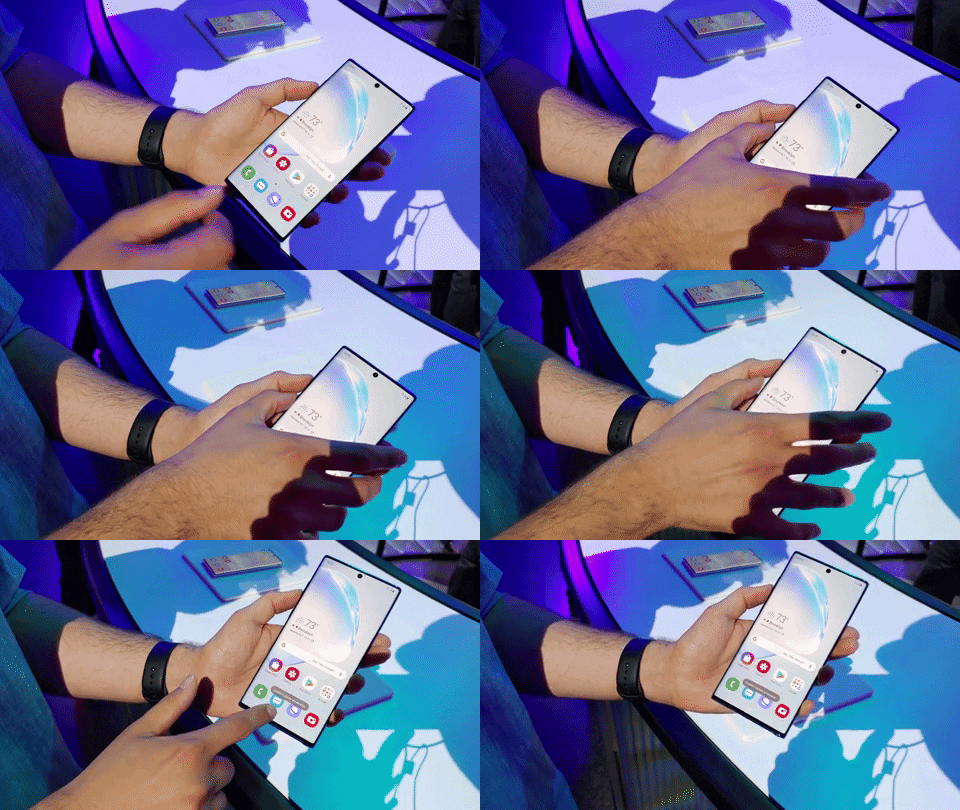
Depending on your preferences, you might end up using that gesture. Built on Galaxy Note 10's One UI is a movement to take screenshots. With the side of your hand, swipe left or right to take a screenshot. Make sure the side of your hand touches the screen as you move from left to right and the screenshot will be taken automatically.

Specialty in Tech News, Game News, Mobile News, Gadgets, Update Android, Video Games, PC Games, Best Apps, Android Games, Samsung, Wearable, PS4,Phone
Samsung Theme

While dark themes have contributed a lot in changing the look & feel of a great looking smartphone, it also contributes to reducing battery consumption. Google on the other hand has made it part of the default features that come with Android 10.

Even though the OneUI has been dedicated to a dark interface, not all Samsung smart phones can use it. Therefore, you must open the Galaxy Theme application on your Samsung device, if not, follow the procedure below to install dark mode on your Samsung Galaxy phone.

Navigate to your theme shop and search for the keyword "Black," select the second theme I tried and it is best suited for icons that are saved by default and the internal interface that is now converted to black. Then tap Apply to complete.

Samsung Theme

Now, you can check your notification panel, check phone settings and of course, open your keyboard to see the difference. By default, this theme has a black background so you can leave it like that or change any image you like.

New Samsung Theme

And now, you have successfully installed the Dark Mode theme for your Samsung device, please explore it fully.
Specialty in Tech News, Game News, Mobile News, Gadgets, Update Android, Video Games, PC Games, Best Apps, Android Games, Samsung, Wearable, PS4,Phone
Super cat tales


Super Cat Tales is an adorable platformer, inspired by Super Mario and various other pixelated platformers. Now, Neutronized has released a high score chaser that involves cute kittens and collecting coins.


The aim of the game is simple, there are cats stranded at the very top of the old oak tree. It's up to you to get to the top and save the stranded kitten. There is only one problem, there is a tree full of enemies that stands between you and your destination.


Tips, Cheats, and Strategies

Maintain that level. If you constantly move from one extreme to the other extreme, you will not be far away. To fit between narrow gaps, you better maintain the bridge level, and only move it a little.
Strategies

Don't hold it. If you want your kitten to run to one side, tap one side of the screen. If you hold one side of the screen down, the bridge will be at a high angle. Makes it difficult to avoid obstacles on the side you tilte Collect a few coins. If you try to collect all the coins, then you will definitely make mistakes and fail levels. Instead, just go for coins that are far from obstacles. All coins that are close to nails or enemies are there as bait to tempt the greedy.

Don't get hit twice in a row. When you are hit, the stars will circle the top of your head. If you are exposed when these stars are visible, then you will fail the level. If you wait until these stars disappear, you can be hit again without dying.
Unlock the cat. You have to collect lots of coins to unlock the cat. So, if you get more than 50 coins in one go, then you have to watch the ad to double it. It's easy to watch thirty-second ads, it's hard to collect 50 more coins.


If you are interested in downloading Super Cat Tales: Magic Bride! Then follow this link to the Google Play store.
Specialty in Tech News, Game News, Mobile News, Gadgets, Update Android, Video Games, PC Games, Best Apps, Android Games, Samsung, Wearable, PS4,Phone
Xbox one S game

Yes, you read it right - Argos will offer a group of Xbox One S All Digital consoles for only £ 3. Usually £ 200, it works at a 98 percent discount. Naturally, you must enter the lottery to be offered a change to get an agreement. If you are interested, then register your interest on the Argos website between now and 11:59 p.m. on Wednesday June 19.

Customers will then be randomly selected to collect the Xbox One S All-Digital Edition which is discounted next Monday or send it to you. The 10 consoles also have individual touches, with famous artist Josh Parkin describing the console with pictures of each lucky gamer, with a style that is not wrong.

Following many leaks, Microsoft revealed the All-Digital Edition in April. This is exactly the same as the standard Xbox One S despite the lack of a physical disk drive - so you need to buy all the games virtually and store them on a 1TB hard drive.

There is only one problem with that when it is launched; it's too expensive. However, prices are now falling and we expect some good offers to appear around Amazon Prime Day and Black Friday, too.
You can check all the latest offers below.

 Register at Argos for the draw to get an Xbox One S All-Digital for £3

The console comes with a wireless controller plus digital-only versions of Forza Horizon 3, Sea of Thieves, and Minecraft. And, of course, you can also sign up for Xbox Game Pass which will give you access to more than 100 digital Xbox games. Microsoft is also working on the upcoming xCloud game streaming service, too. 
Specialty in Tech News, Game News, Mobile News, Gadgets, Update Android, Video Games, PC Games, Best Apps, Android Games, Samsung, Wearable, PS4,Phone
Person 2020 Konami-Fanatortech.com
While we are nevertheless impatient playing PES 2019 ISO concerning PPSSPP, here we are together with yet any other latter version concerning the famous Playstation Portable (PSP) recreation - Pro Evolution Soccer 2020 ISO PPSSPP because of Android.
PES 2020 iso has been redesigned together with recent person interface, ultra-modern transfers, modern chromatic score display, updated balls, HD pitches, recent stadiums, kits, players yet logos.

This game was clearly updated beside PES 2019 iso game. New purposes has been added, a tussock over improvements has been taken in conformity with the game. As we entire know, we need PPSSPP emulator among rule in accordance with lead PES 2020 iso concerning our Android phone.
In it post, I wish provide an explanation for to you how much you perform download it game + keep data file for consideration + ppsspp emulator. I have provided all advise down load hyperlinks because ye in accordance with down load yet enjoy! But earlier than then, let's recommend partial accomplishment applications on Pes 20 iso ppsspp because Android.

Features Of Pes 2020 Iso PPSSPP
  • The game is completely offline
  • English commentary
  • Game Language is set to English at Default
  • Game updated from PES 2019 Iso
  • HD Graphics Gameplay, new kits, new formations + transfers
  • Player star rating available and real player data
  • Team Rader, Score Display, Champions League Update
  • New UEFA League UI, World Cup, International Friendlings, Exhibition Match, New Balls.
  • Team Kits Updated to 2020 Season, Updated Team Logos like Juventus, Smooth Gameplay, Become a Legend available.
  • Realistic Atmosphere, Real-Time Commentary, Player celebrations, Real player emotions, Portrays players attitudes - Ronaldo FreeKick Posture, Messi Balancing, e.t.c.
  • Take advantage of the new seasonal matches, La Liga, Bundesliga, Barclays Premier League, League 1, Brazilian League, Indonesia League, and Cup.
Download: Mortal Kombat, Days Gone, World War Z Top April 2019 Sony's PS4 Game Download Now Charts In EU

Things You Will Need before Downloading
PES 2020 Basic Game Info
  • Game Size: 670.6MB
  • Save Data: 241.5MB
  • Updated: May 3, 2019
  • In-app purchases: Null
  • Rating: 4/5
  • Price: Free
Download New Spiderman HD Wallpapers For Android & IOS Launched In July 2019

PES 2020 ISO Download Links
  1. Download PES 2020 ISO File - Download here.
  2. Download PES 2020 PPSSPP Save Data (Contains lists of latest player transfers, kits, tournaments, stadiums, English commentary pack etc) - Download here.

Top Hot  Trending Posts You Could Need To Read:


How To Install PES 2020 ISO PPSSPP Game


Make assured ye comply with every my steps carefully without skipping somebody line. I bear in my opinion set up the game yet as much nicely played that before posting it here on raphblog.com.ng.
Make sure ye download ZArchiver and PPSSPP Gold Pro out of the link above
Make sure thou down load PES 2020 ISO game + Save Data beyond the hyperlinks above.
Now, install ZArchiver app or makes use of such in conformity with extract
Extract PPSSPP Gold.zip yet installation the app inside.
Next is in imitation of banish PES 2020 Save Data in accordance with thine SD Card (don't extract that in anybody folder).
Now, eliminate PES 2020 PPSSPP according to SD Card > PSP > Game folder.
We are almost done. Now launch the PPSSPP Gold Emulator app yet stumble on the PES 2020 Game (SD card > PSP > Game).
Tap the PES 2020 idol yet Enjoy!
That's every buddy. Are ye confused? Kindly go away you questions beneath yet i am going to answer along solutions. Don't forget in accordance with quantity it put up with friends.